Google Gemini -> One Publishing Bridge

Send Content Straight from Google Gemini to Your Websites, Google Business & Socials

Turn your Google Gemini chats into instant multi-channel publishing. Wordflux acts as the middleman between Gemini and all your CMS websites and social networks, so you connect once instead of setting up separate connectors for every platform.

14-day free trial, no charge today, cancel anytime with 1 click. Works with your existing Gemini subscription.

One Connection for EverythingMulti-Website CMS PublishGoogle Business ProfileYouTube & 11 SocialsDrafts or Instant PublishRequest Any Missing Connector
Google Gemini -> Wordflux Publishing Hub1-Click Bridge Active

Your Prompt in Gemini

“Write our seasonal update, publish it to our WordPress blog, post it to all 3 Google Business Profile locations, and schedule Instagram and LinkedIn posts.”

Automated in One Conversation

  • Publishes the article straight to your WordPress website
  • Updates all 3 Google Business Profile locations with CTA buttons
  • Schedules matching posts for Instagram and LinkedIn automatically

Published & Scheduled Destinations

  • WordPress Blog Article (Live)
  • 3 Google Business Profile Locations
  • Instagram & LinkedIn Scheduled
One Gemini conversation updates your websites, local Google Maps listings, and social feeds simultaneously.
One Hub for All Your Websites & Socials

Connect Google Gemini once instead of juggling separate tools for every channel.

Whether you run one brand or manage a portfolio of websites and local business listings, copying content out of Gemini into WordPress, Google Business Profile, and social apps wastes hours every week. Wordflux sits in the middle so Gemini can publish everywhere through one simple connection.

1 connection covers CMS + 11 socials
Multi-location Google Business updates
Publish across multiple websites fast

What You Can Publish Directly from Google Gemini

Go from Gemini research and drafting to live articles and social posts across every platform you manage.

Publish to WordPress, Webflow, Shopify, Ghost & More
Send finished Gemini articles straight to one or multiple CMS websites or Hosted Public Pages with clean formatting and SEO structure.
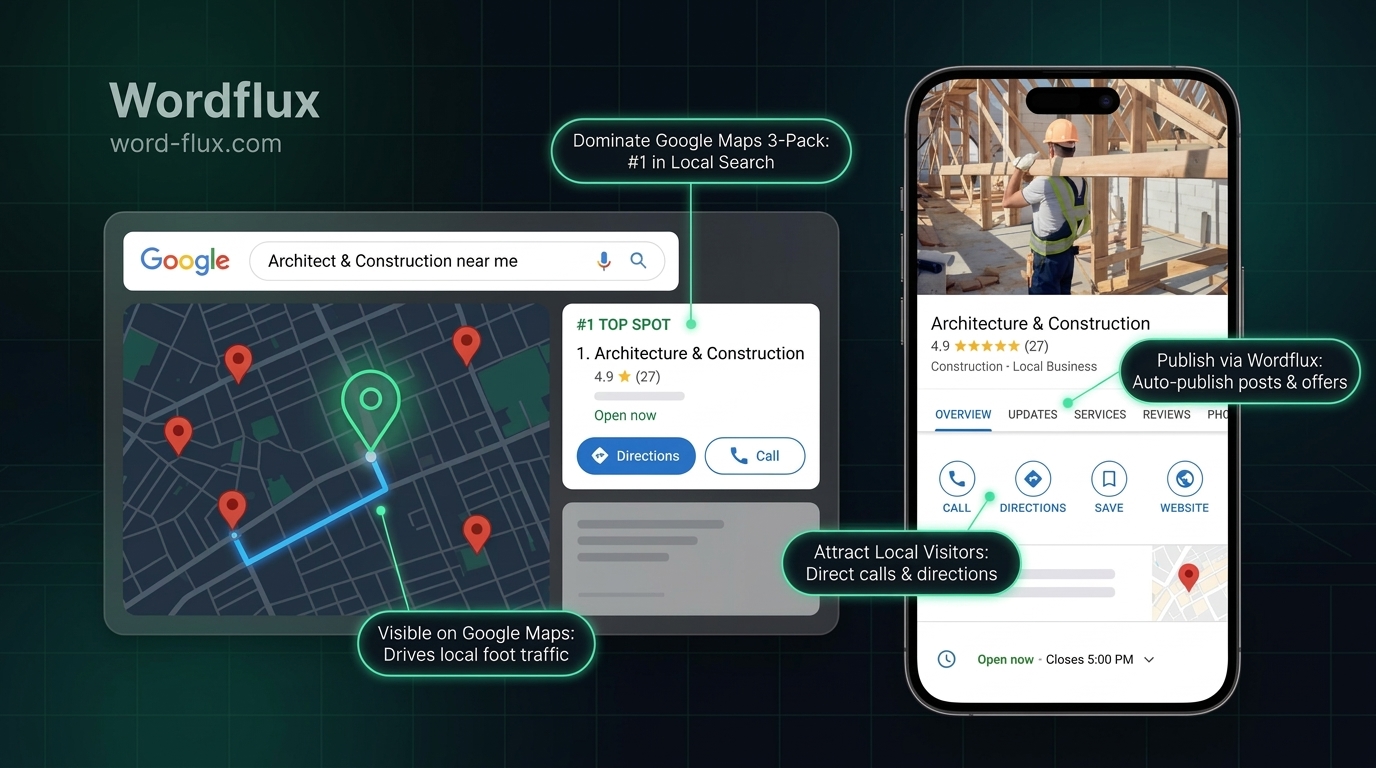
Update Multiple Google Business Profile Locations
Keep every storefront or service-area listing active by sending updates, offers, and photos from Gemini to all your Google Business locations at once.
Schedule Across All 11 Social Media Channels
Distribute Gemini content natively to LinkedIn, Instagram, Facebook, X, TikTok, YouTube, Threads, Pinterest, Google Business Profile, Bluesky, and Mastodon.
No Need to Install Multiple Plugins or Connectors
Skip technical connector sprawl. Connect Gemini to Wordflux once and manage all your destinations from one clean workspace.
Draft Mode & Team Review Included
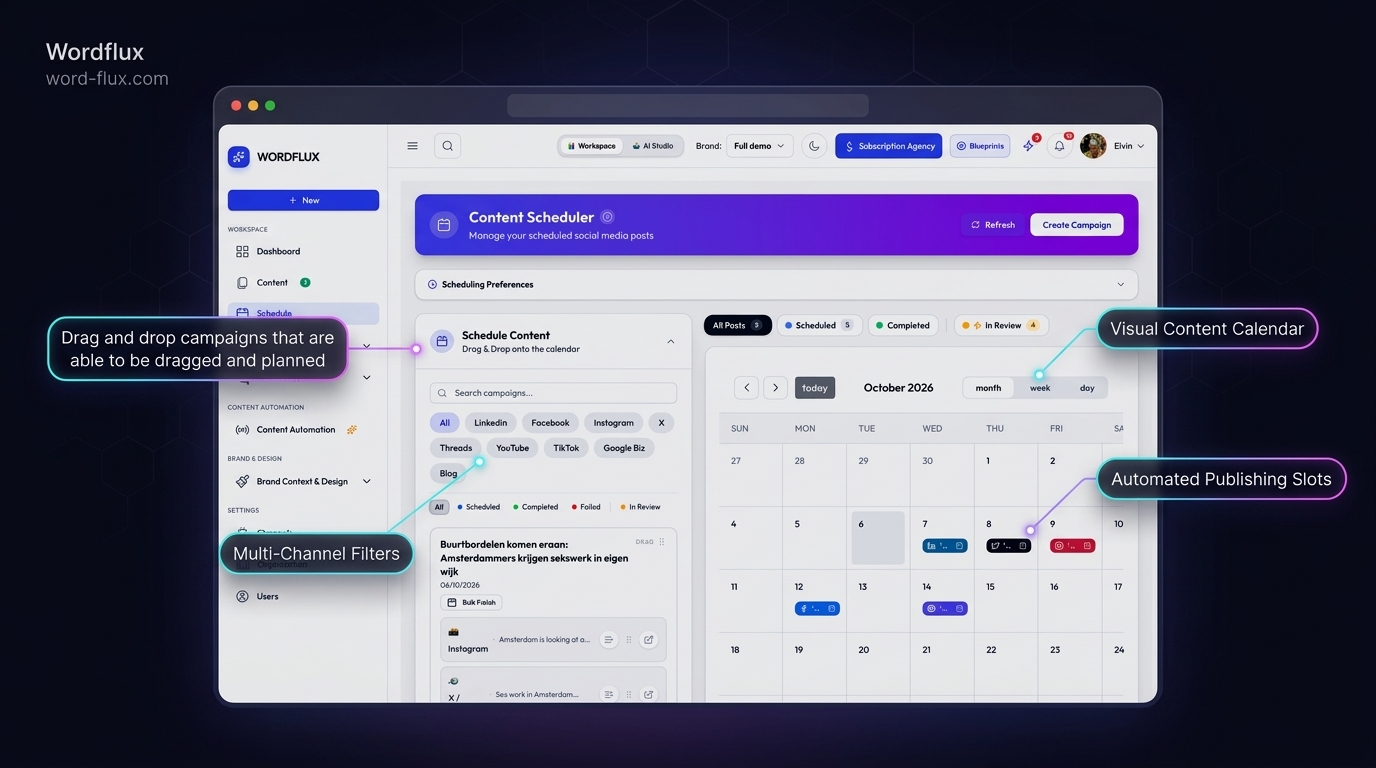
Send Gemini posts straight to live feeds or save them as drafts in your Wordflux calendar for quick approval.
Request Any Missing Integration
Need Gemini to publish to another CMS or platform? Check our integrations page or request a new connector directly inside Wordflux.
2-Minute Setup

Connect Gemini to Your CMS & Social Channels in 4 Steps

Anyone can connect the plugin right from your Gemini web settings in under a minute. Open the Connection Setup Guide.

  1. 1

    Connect Gemini to Wordflux Once

    Link your Google Gemini workspace to Wordflux in under a minute without setting up separate servers for each platform.

  2. 2

    Add Your Websites & Social Accounts

    Connect your CMS sites, Google Business locations, and 11 social networks inside Wordflux once.

  3. 3

    Create Content in Your Gemini Chat

    Research, write, and polish articles or updates inside your familiar Gemini chat window.

  4. 4

    Publish Everywhere in Seconds

    Tell Gemini which websites and social channels to target, and Wordflux publishes or schedules them automatically.

SEO & Generative Engine Optimization (GEO)

Boost Google Search, Maps & AI Overviews from Gemini

Publishing from Gemini straight to your websites, Google Business Profile, and crawlable social channels aligns your brand across the exact signals Google Search and AI Overviews rely on.

  • Direct publishing to WordPress, Webflow, Shopify, Ghost, or Hosted Public Pages keeps your websites fresh with clean semantic HTML and rapid discovery.
  • Consistent Google Business Profile updates and local photos strengthen Google Maps rankings and local entity trust.
  • Coordinated posting across LinkedIn, YouTube, Pinterest, and Bluesky reinforces brand citations across Google Search and AI answer engines.
One Hub for Every Destination

Missing a Website CMS or Platform? Just Request It.

Wordflux already bridges Gemini to 11 social media networks and major CMS platforms (WordPress, Webflow, Shopify, Ghost, HubSpot, Wix, Squarespace, Hosted Pages, and Custom Webhooks). If you manage another platform or custom website, let us know and we will add the connector for you.

Gemini Publishing, CMS, SEO & GEO FAQ

Gemini Content & Publishing Questions

Everything you need to know about connecting Gemini to your CMS and social channels.

How can Google Gemini publish directly to WordPress, Google Business Profile, and social media?
By connecting Google Gemini to Wordflux as your central publishing bridge. Once connected, you can draft content in Gemini and ask it to publish directly to your WordPress, Webflow, Shopify, Ghost, or Hosted Pages websites, update Google Business Profile locations, and schedule posts across 11 social networks.
Do I need technical setup or multiple plugins to use Gemini for publishing?
No. Wordflux handles all the heavy lifting behind the scenes. You connect Gemini to Wordflux once, and Wordflux acts as the middleman that delivers your content to every website and social media channel you manage.
Can Gemini publish to multiple websites and business locations from one chat?
Yes. If you manage multiple websites, brands, or Google Business Profile locations, you can connect them all inside Wordflux and choose which destinations receive each article or update right from Gemini.
Can I review Gemini content before it is published live?
Yes. You can have Gemini save articles and social posts as drafts in your Wordflux calendar so you or your team can review and approve them with one click.
What if my website CMS or platform is missing from the integrations list?
You can browse all supported platforms on our integrations page and request any missing connector from our team, or use Custom CMS & Webhooks right away.
How does publishing from Gemini through a unified hub improve SEO and GEO?
Publishing structured articles straight to your CMS websites while keeping Google Business Profile, YouTube, LinkedIn, and Pinterest active creates consistent, crawlable brand signals that improve Google Search rankings and AI Overview citations.
Gemini & Local SEO Guides

Google Gemini, Local SEO & Multi-Site Publishing Guides

Discover how teams turn Gemini chats into effortless website and social media growth.

Explore Other Supported AI Chats & Connectors

Use your favorite AI assistant to create content and publish directly to your CMS or social media.

Risk-Free 14-Day Free Trial

Put Your Entire Content Engine on Autopilot Today

Connect your website or channels in 2 minutes. Start publishing on LinkedIn, Instagram, X, Facebook, Pinterest, Bluesky, Mastodon, and Google Business with zero manual copy-pasting.

Looking for the browser companion?Download Chrome & Edge Plugin
14-day free trial, €0 charged todayCancel anytime with 1 clickFree Done-For-You Onboarding includedCustom Workflows Built on Request