Microsoft Copilot -> One Publishing Bridge

Publish Straight from Microsoft Copilot to Your Websites & Social Channels

Already drafting briefs and updates in Microsoft Copilot or VS Code? Wordflux acts as the single middleman between Copilot and all your publishing platforms, so you connect once and send content straight to your CMS websites and 11 social networks.

14-day free trial, no charge today, cancel anytime with 1 click. Works with your existing Copilot subscription.

Copilot Studio & VS CodeOne Connection for EverythingMulti-Website CMS PublishLinkedIn & 11 SocialsTeam Approval FlowsRequest Any Missing Connector
Microsoft Copilot -> Wordflux Publishing Hub1-Click Bridge Active

Your Prompt in Copilot

“Turn our Q4 product update into a blog post for our WordPress and HubSpot sites, then queue announcement posts for our LinkedIn Company Page, X, and Facebook.”

Automated in One Conversation

  • Sends the formatted announcement to WordPress and HubSpot
  • Adapts social updates for LinkedIn Company Pages, X, and Facebook
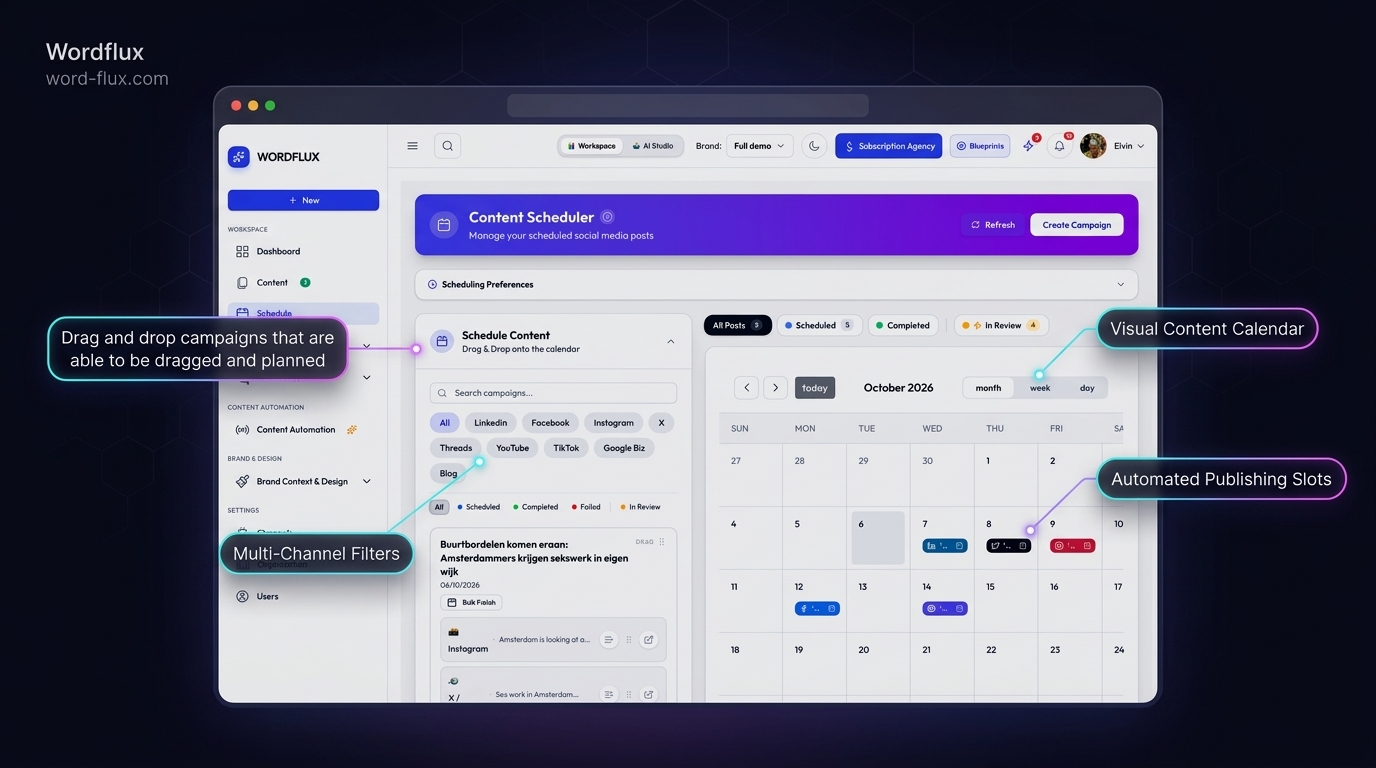
  • Routes everything into your calendar for 1-click team approval

Published & Scheduled Destinations

  • WordPress & HubSpot Blogs (Ready)
  • LinkedIn Company Page (Queued)
  • X & Facebook (Scheduled)
Move from Microsoft Copilot drafts to live multi-website and social publishing with zero manual handoffs.
One Central Bridge for Teams & Multi-Site Brands

Connect Copilot once. Reach every CMS and social account you manage.

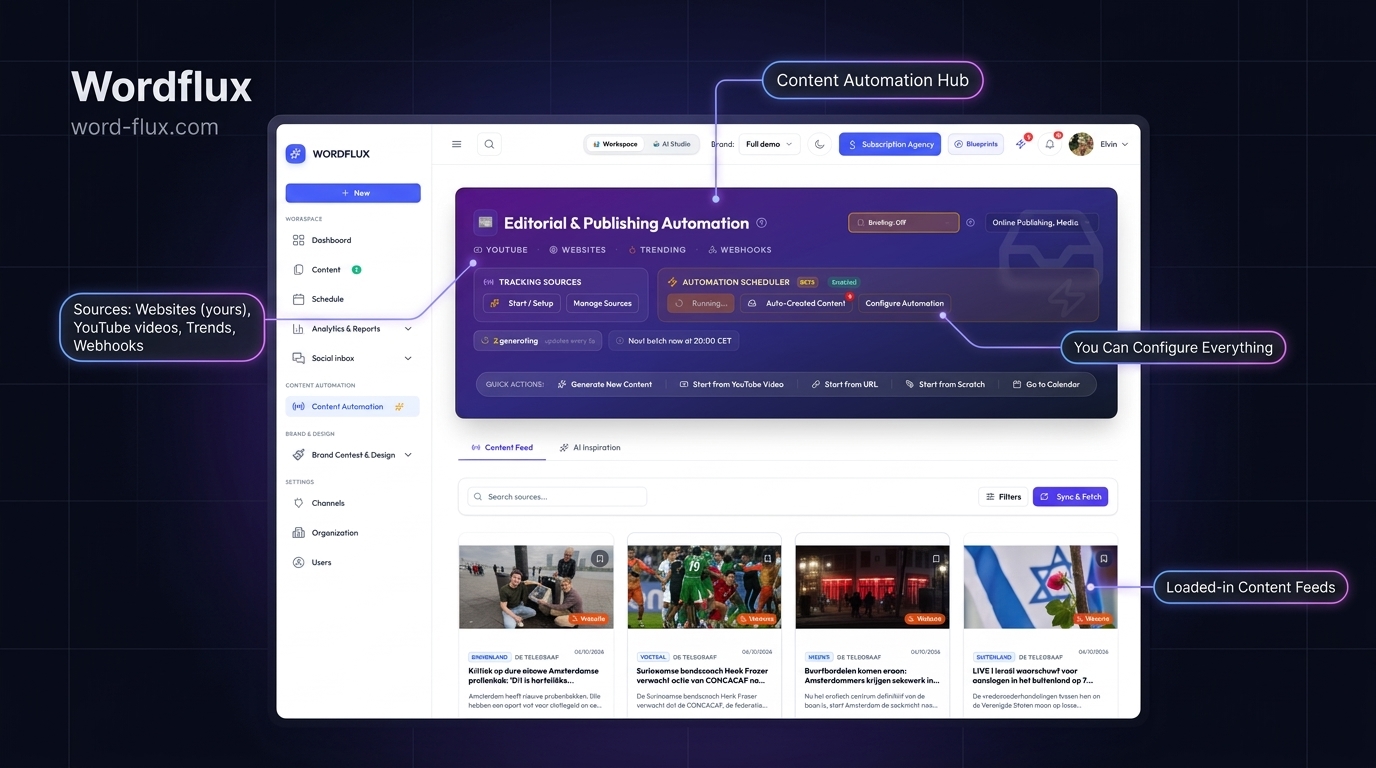
Configuring individual connectors for every website and social platform creates maintenance headaches. Wordflux sits in the middle as your single publishing hub so your team can connect Microsoft Copilot or VS Code once and send content directly to WordPress, HubSpot, Webflow, Shopify, and all 11 social networks.

One hub instead of separate connectors
Built for multi-website & enterprise teams
Draft-first approvals for brand safety

What You Can Send from Microsoft Copilot via Wordflux

Turn everyday Copilot conversations and internal docs into published website articles and social campaigns.

Publish to WordPress, HubSpot, Webflow, Shopify & Ghost
Send Copilot-drafted announcements, guides, and news directly to one or multiple websites without manual formatting or CMS logins.
Target LinkedIn Company Pages & 11 Social Networks
Publish directly to LinkedIn Company Pages, Personal Profiles, Instagram, Facebook, X, TikTok, YouTube, Threads, Pinterest, Google Business, Bluesky, and Mastodon.
One Simple Connection, Zero Connector Sprawl
No need to set up separate plugins for every platform. Wordflux connects Copilot to your entire publishing stack in one step.
Effortless Multi-Website & Regional Routing
Managing multiple brand websites or regional blogs? Tell Copilot which site should receive each article and Wordflux routes it cleanly.
Approval Guardrails & Draft-First Mode
Keep full editorial control by sending Copilot content into your Wordflux calendar as drafts for quick manager sign-off.
Missing a Connector? Request It Anytime
Need Copilot to publish to another CMS or internal tool? View all supported integrations or request a missing connector right in Wordflux.
2-Minute Setup

Connect Copilot to Your CMS & Social Channels in 4 Steps

Anyone can connect the plugin right from your Copilot web settings in under a minute. Open the Connection Setup Guide.

  1. 1

    Connect Copilot to Wordflux Once

    Link Microsoft Copilot Studio or VS Code to Wordflux in minutes without configuring separate platform connectors.

  2. 2

    Connect Your Websites & Socials in Wordflux

    Link all your CMS sites and 11 social media channels inside your Wordflux dashboard once.

  3. 3

    Draft Inside Copilot as Usual

    Turn internal notes, briefs, or release updates into polished articles and social posts inside Copilot.

  4. 4

    Publish or Queue Everywhere

    Tell Copilot where to send the content and Wordflux publishes live or queues drafts for team review.

SEO & Generative Engine Optimization (GEO)

Grow Bing, Google & AI Search Visibility Straight from Copilot

Sending structured articles directly from Copilot to your CMS websites while syndicating updates across social networks builds strong search and AI-citation momentum across Bing, Copilot Search, Google, and ChatGPT.

  • Articles published to your CMS or Hosted Public Pages include clean semantic structure and fast indexing notifications for Bing and Google.
  • Consistent updates across LinkedIn, YouTube, and X reinforce entity authority in Microsoft Copilot Search, ChatGPT, and Perplexity.
  • Centralized multi-website publishing makes it easy for lean teams to maintain high-velocity SEO and GEO output across every domain.
One Hub for Every Destination

Missing a Website CMS or Platform? Just Request It.

Wordflux already bridges Copilot to 11 social media networks and major CMS platforms (WordPress, Webflow, Shopify, Ghost, HubSpot, Wix, Squarespace, Hosted Pages, and Custom Webhooks). If you manage another platform or custom website, let us know and we will add the connector for you.

Copilot Publishing, CMS, SEO & GEO FAQ

Copilot Content & Publishing Questions

Everything you need to know about connecting Copilot to your CMS and social channels.

How can Microsoft Copilot publish directly to WordPress, HubSpot, and social media?
By connecting Microsoft Copilot (or VS Code Copilot) to Wordflux once as your central publishing bridge. You can draft inside Copilot and send finished articles straight to WordPress, HubSpot, Webflow, Shopify, Ghost, or Hosted Pages and schedule posts across 11 social networks.
Do I need to install separate plugins or connectors for each website and social channel?
No. Wordflux acts as the single middleman so you only connect Copilot once. Wordflux handles all the individual CMS and social media integrations behind the scenes.
Can Microsoft Copilot publish to multiple websites and LinkedIn Company Pages?
Yes. You can connect multiple brand websites, LinkedIn Company Pages, Personal Profiles, and other social channels inside Wordflux and tell Copilot exactly where each post should go.
Can teams require approval before Copilot publishes anything live?
Yes. You can keep Copilot in draft-only mode so every article and social post lands in your Wordflux Content Library for human review before going live.
What if my team uses a CMS or platform that is not listed yet?
You can check all supported connectors on the Wordflux integrations page and request any missing integration from our team, or connect immediately via Custom CMS & Webhooks.
How does publishing from Copilot through a single publishing hub help SEO and GEO?
Publishing clean, structured articles directly to your websites with fast indexing notifications while syndicating updates across LinkedIn, X, and YouTube helps Bing, Google, Microsoft Copilot Search, and other AI engines discover and cite your brand faster.
Copilot & Team Publishing Guides

Copilot, LinkedIn & Multi-Website Publishing Guides

See how product and marketing teams publish faster across every channel from Copilot.

Explore Other Supported AI Chats & Connectors

Use your favorite AI assistant to create content and publish directly to your CMS or social media.

Risk-Free 14-Day Free Trial

Put Your Entire Content Engine on Autopilot Today

Connect your website or channels in 2 minutes. Start publishing on LinkedIn, Instagram, X, Facebook, Pinterest, Bluesky, Mastodon, and Google Business with zero manual copy-pasting.

Looking for the browser companion?Download Chrome & Edge Plugin
14-day free trial, €0 charged todayCancel anytime with 1 clickFree Done-For-You Onboarding includedCustom Workflows Built on Request