Oct 1, 20261 min read
Multi-Channel Social & CMS Distribution Across Every Major Network
Distribute articles, product updates, and visual carousels simultaneously across Pinterest, LinkedIn, Instagram, X, and CMS blogs.
Unlike fleeting social feeds, Pinterest is a visual search engine where every Pin links directly to your website and compounds clicks for months. Auto-brand 2:3 vertical Pins and schedule directly to your boards.
14-day free trial, no charge today, cancel anytime with 1 click. Official OAuth 2.0 security.

Pinterest & 14-Channel Visual Automation on Wordflux
Turn articles, product pages, and affiliate catalogs into 2:3 vertical Pins with direct destination links.
Official Pinterest API v5 OAuth 2.0 supporting board selection, 100-character Pin titles, 500-character keyword descriptions, direct outbound destination URLs, and 2:3 vertical Brand Templates.
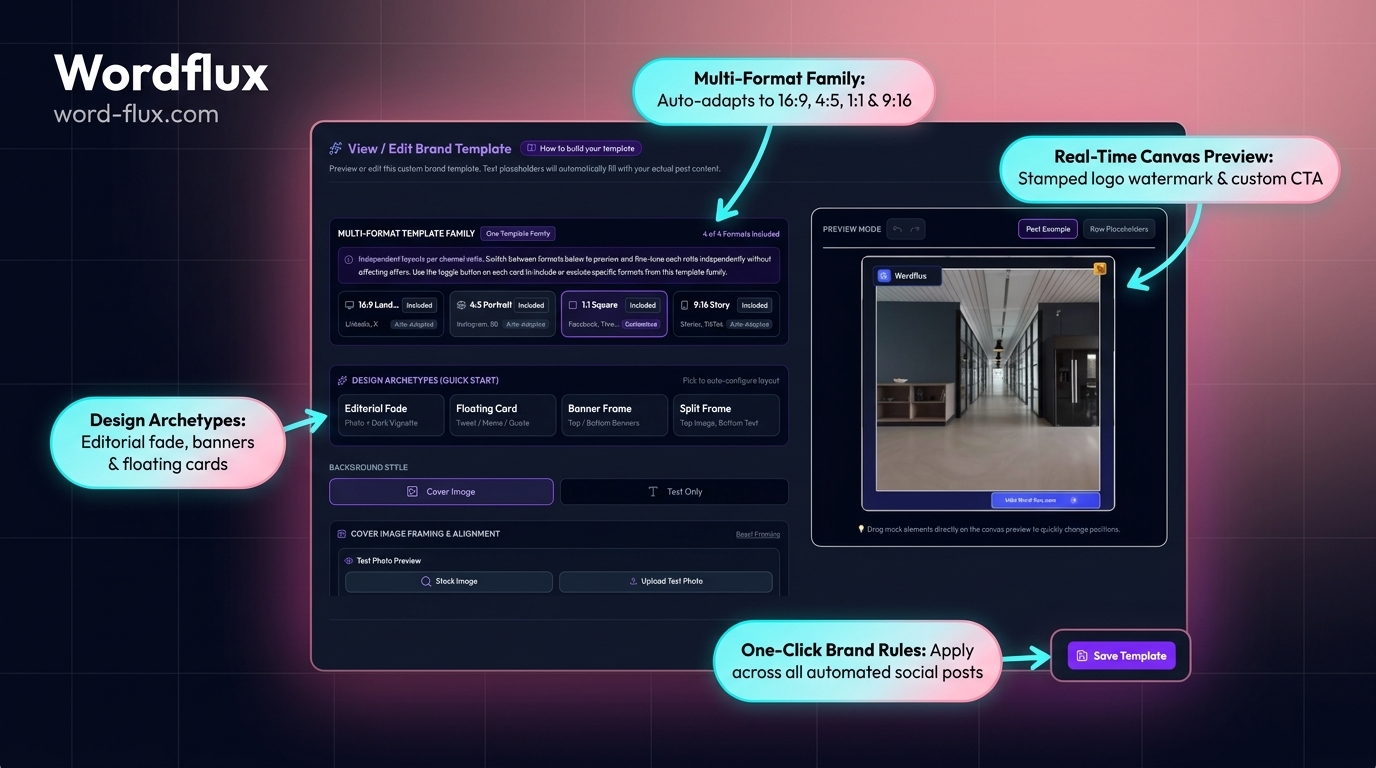
Designing vertical 1000x1500 graphics for every article or SKU is the biggest bottleneck in Pinterest marketing. Brand Templates wrap your featured imagery in a clean 2:3 branded frame with legible headline overlays automatically.
While a tweet disappears in 20 minutes, search-optimized Pins keep ranking in Pinterest Search and Google Images for months. Connect your store or blog once and build a compounding referral engine.
Built on official developer permissions with full multi-brand isolation.
Apply Brand Templates to turn horizontal blog images or square product photos into scroll-stopping 2:3 vertical Pins with clean title overlays.
Every scheduled Pin automatically attaches the exact canonical URL of your source article, Shopify product, or affiliate landing page.
Generate keyword-focused 100-character titles and 500-character descriptions matched to how buyers search on Pinterest.
Select the exact Pinterest Board for each campaign or brand workspace directly inside the Wordflux composer and scheduler.
Ingest Shopify catalogs, product feeds, or affiliate networks like Daisycon to publish consistent visual Pins that slash paid ad costs.
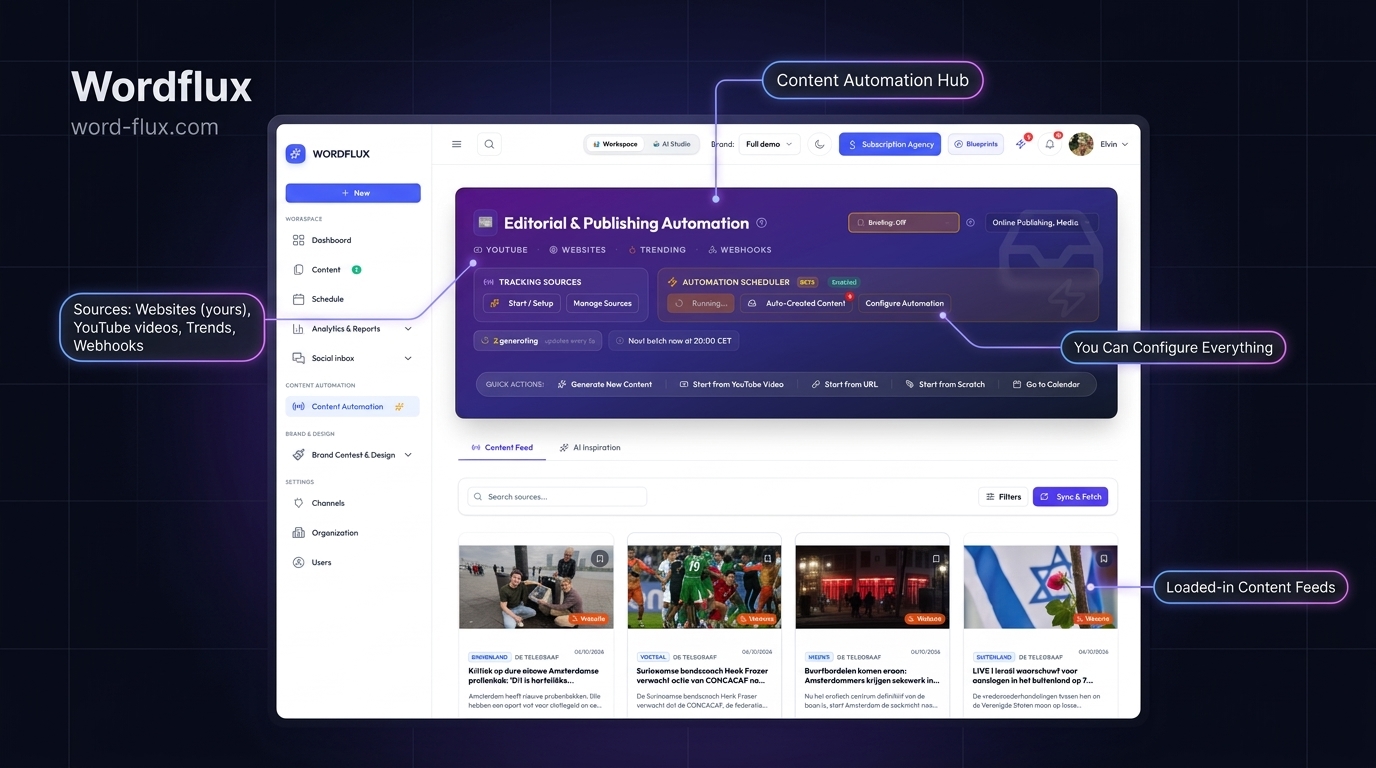
Every new article published on WordPress, Webflow, Ghost, or Hosted Pages can automatically prepare a branded Pin ready for approval.
Go from a newly published website article or YouTube video to a scheduled Pinterest campaign in minutes.
Authorize your Pinterest Business account and sync your boards in seconds.
Sync Website Radar, Shopify, or paste any article or product URL.
Apply your vertical Pin Brand Template and review the keyword title, description, and destination link.
Queue Pins across your calendar for steady daily search indexing and referral clicks.
Turn your website articles and blog posts directly into high-performing social posts with hands-free automation. Publish using your own original article text verbatim or optionally enhance and adapt with AI for each platform.
Duration: 4:44Category: Website to SocialsTransform any live article, blog post, or webpage directly into branded social campaigns without switching tabs. Discover how the Wordflux browser plugin detects content on your site, auto-brands imagery, polishes tone with in-page AI, and pushes directly to your 24/7 publishing queue.
Duration: 1:35Category: Browser PluginGenerate high-impact social campaigns and blogs from any source: YouTube videos, live trending topics, DOCX files, PDFs, URLs, or custom prompts using interactive AI chat or the guided wizard.
Duration: 1:35Category: Create from AnywhereAutomatically brand pictures with your logo and colors when sourcing website content, or apply custom branding with 1 click to save hours of manual design.
Duration: 1:20Category: Branded TemplatesPurely configure your automated workflow and Content Radar. Set up autonomous monitoring for WordPress or Ghost, define auto-drafting rules, and schedule hands-free publishing.
Duration: 1:50Category: Setup & CMS ConnectRepurpose YouTube videos, PDFs, or external articles into complete SEO blog posts and publish directly to your WordPress or Ghost site with 1 click.
Duration: 1:40Category: Publish to CMSSet your publishing queue to run 24/7 across LinkedIn, X, Meta, Instagram, Pinterest, and TikTok on autopilot.
Duration: 1:45Category: Auto-SchedulerOrganize isolated workspaces for each brand, configure individual brand voices and guidelines, manage team permissions, and switch between client brands effortlessly.
Duration: 1:45Category: Multiple BrandsShare passwordless, interactive campaign review links with clients or team members to collect feedback, request line edits, and get 1-click approvals before publishing.
Duration: 1:25Category: Review FlowConnect entire YouTube channels to track new uploads right away, or paste individual video links to extract transcripts, create viral social posts, and generate full SEO blog articles.
Duration: 1:40Category: YouTube to BlogTrack cross-platform audience growth, export executive PDF reports, and reply to all social comments from one unified inbox.
Duration: 1:30Category: Inbox & ReportsChat with AI to brainstorm campaign angles, write original posts from scratch, and refine your brand voice in real time.
Duration: 1:20Category: Brainstorm & ChatConvert articles, documents, or key takeaways into multi-slide, high-converting LinkedIn PDF carousels styled with your brand theme.
Duration: 1:25Category: PDF CarouselsStep-by-step walkthroughs with founder Elvin showing real automated publishing workflows.

Turn your website articles and blog posts directly into high-performing social posts with hands-free automation. Publish using your own original article text verbatim or optionally enhance and adapt with AI for each platform.
Every Pinterest Pin carries a direct clickable link to your canonical URL, and Pinterest Boards frequently rank on page one of Google Search and Google Images for commercial and how-to queries.
Direct Outbound Clicks: Unlike Instagram or TikTok, every single Pin links directly to your blog article, product page, or affiliate review.
Months of Compounding Shelf Life: Search-optimized Pin titles and descriptions keep surfacing in Pinterest and Google Image search long after publication.
Zero Manual Canva Work: Wordflux crops featured images into 2:3 vertical Pin templates with readable title overlays automatically.
Auto-syndicate live articles and RSS feeds across every social channel in your editorial voice.
Manage multi-client workspaces, white-label portals, and passwordless 1-click approvals.
Turn product catalogs and store updates into branded organic social campaigns that cut ad spend.
Centralize distribution, isolated brand kits, and custom webhooks across your entire portfolio.
Repurpose YouTube videos, newsletters, and blog posts into daily social updates on autopilot.
Direct answers on official API rules, organic feed reach, and search visibility.
Practical workflows, free utilities, and search optimization guides for Pinterest.
Turn written guides and listicles into evergreen 2:3 vertical Pins.
Scale product feeds, branded templates, and affiliate Pin traffic.
Drive organic product discovery from Shopify and online stores.
Automatically format 2:3 vertical Pin graphics without opening Canva.
Pair search-optimized blog articles with visual Pinterest distribution.
Build authoritative product and publisher signals across search engines.
Read real product launches, setup guides, and SEO/GEO experiments from the Wordflux engineering and editorial blog.
Distribute articles, product updates, and visual carousels simultaneously across Pinterest, LinkedIn, Instagram, X, and CMS blogs.
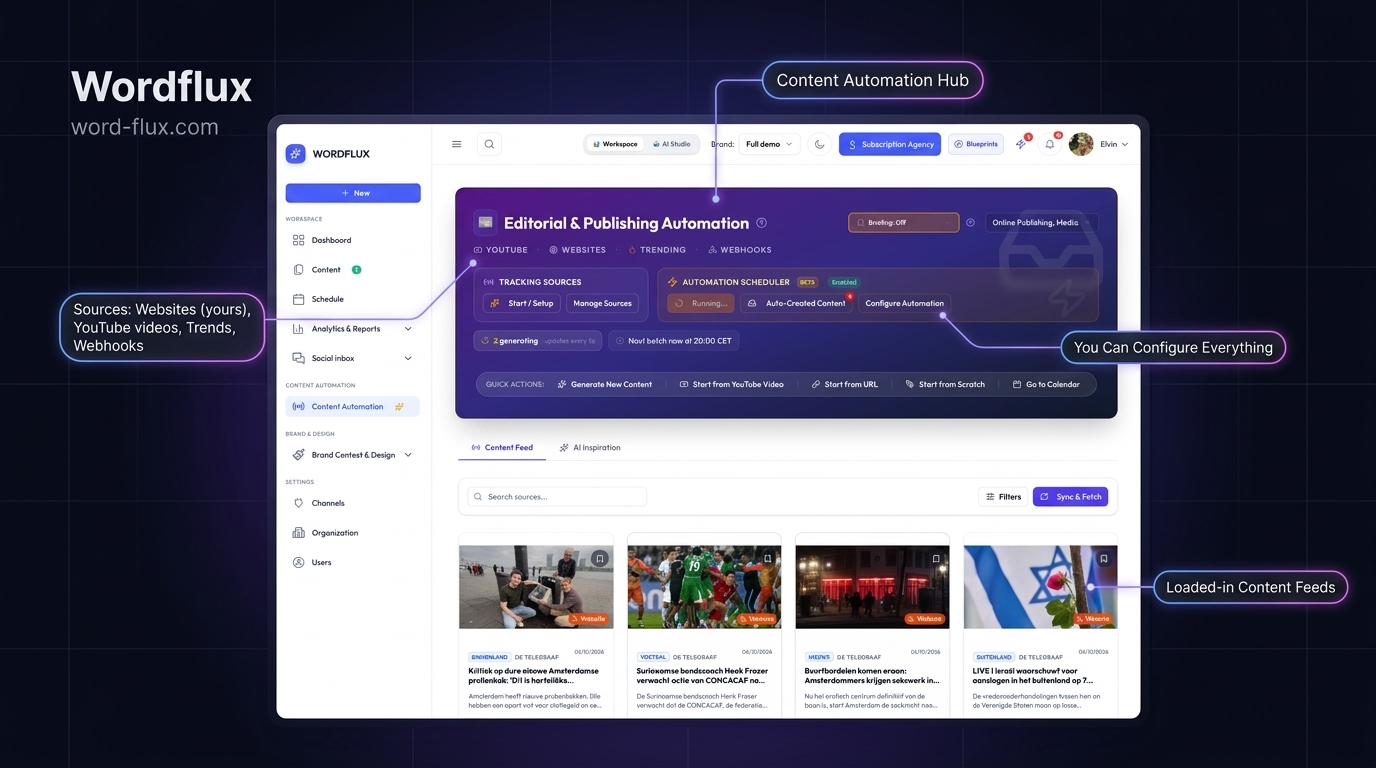
Turn any live webpage, e-commerce listing, or YouTube video into branded social posts right from your browser.
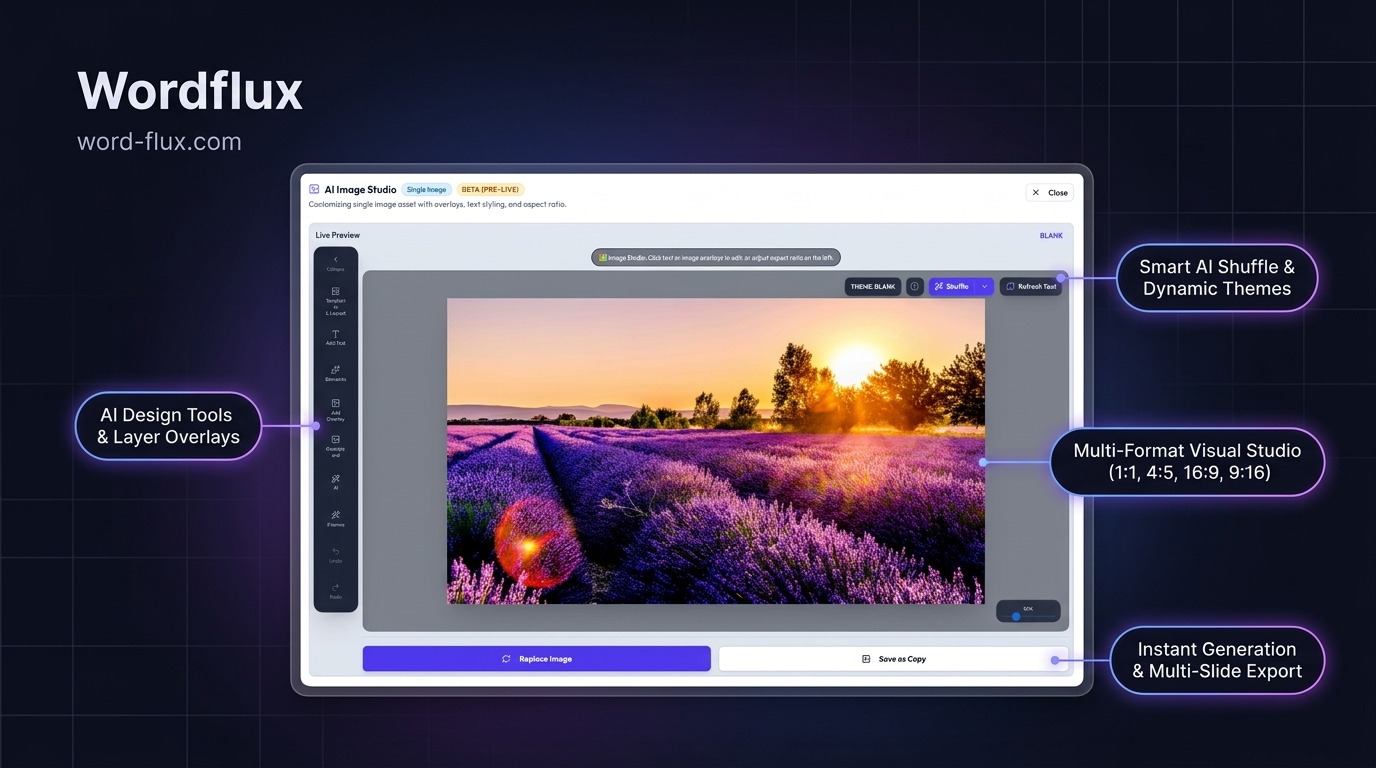
Connect LinkedIn Personal Profiles and Company Pages via official OAuth 2.0 to publish native PDF carousels and first-comment links.
Connect all your social channels, CMS websites, and AI tools in one workspace.
Connect your website or channels in 2 minutes. Start publishing on LinkedIn, Instagram, X, Facebook, Pinterest, Bluesky, Mastodon, and Google Business with zero manual copy-pasting.