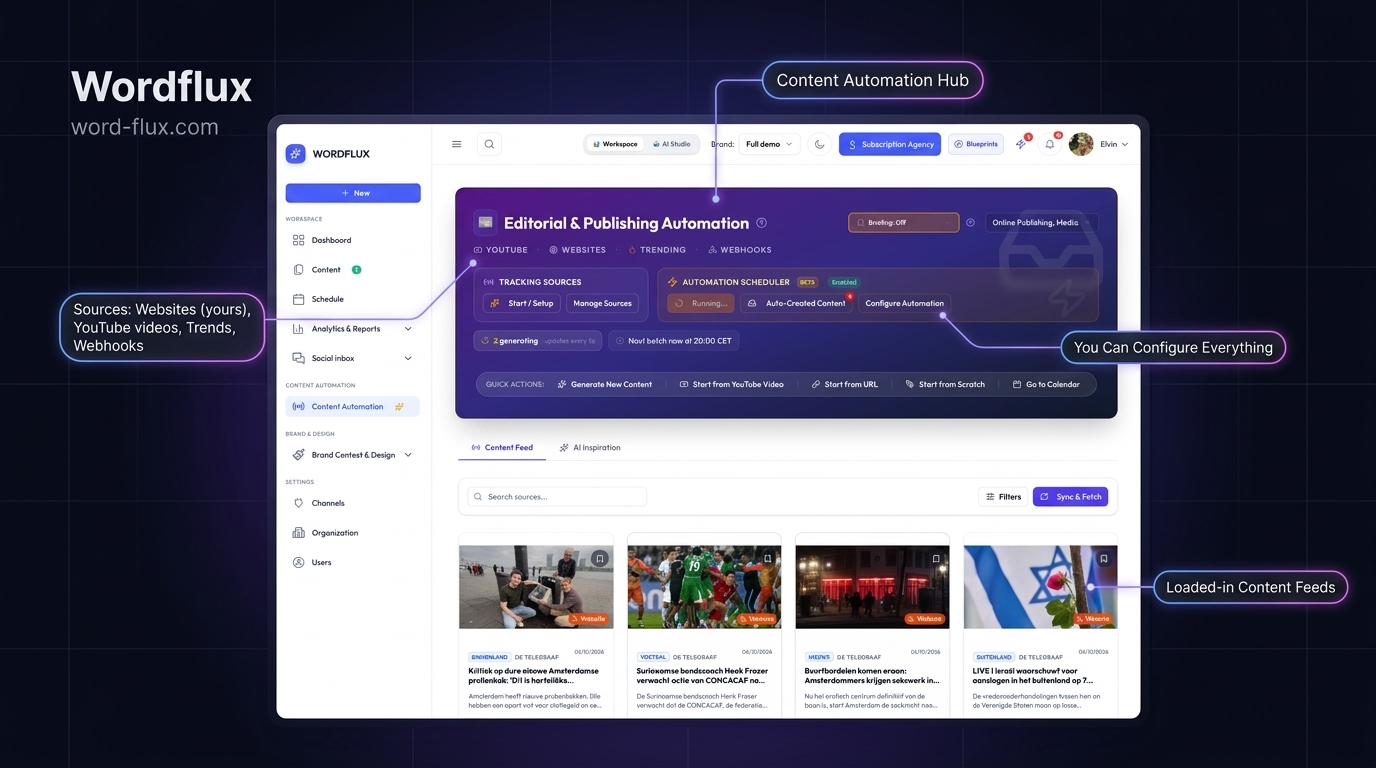
Two-Way Webflow Data API v2 & CMS Radar

Publish to & Distribute Webflow CMS Collections Across 11 Social Channels

Connect Webflow Data API v2 to publish and update CMS collection items directly from Wordflux or AI chat (MCP), and monitor your `/blog` or `/case-studies` feeds so every published Webflow item generates LinkedIn PDF carousels, Instagram visuals, X threads, Pinterest Pins, and Bluesky/Mastodon updates.

14-day free trial, no charge today, cancel anytime with 1 click. Works across all 11 official social APIs.
Webflow Data API v2 PublishIn-Place Collection UpdatesWebflow Collection RSSXML Sitemap Discovery.w-richtext CSS Extraction11 Official Social APIs
Webflow CMS Collections -> 11 Social NetworksZero Script Bloat
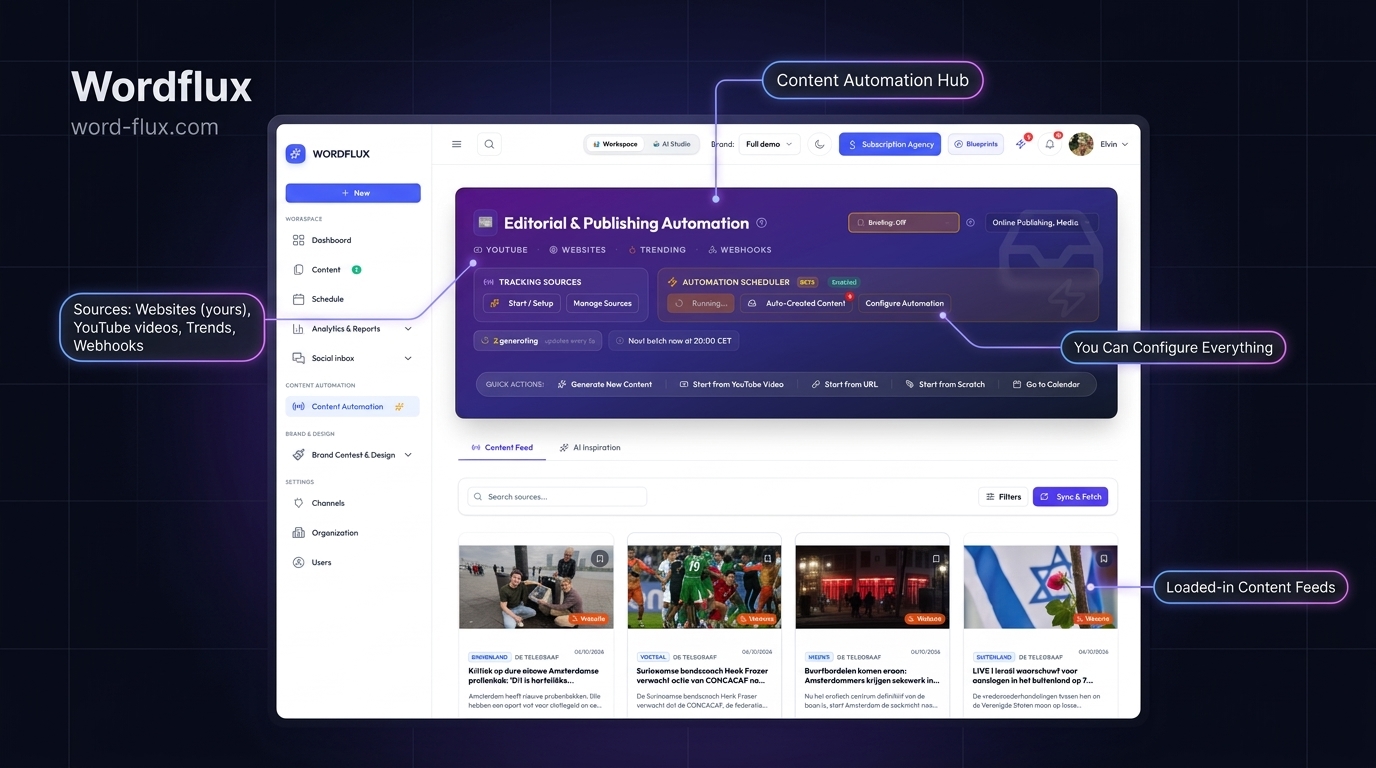
Webflow CMS collection item automatically converted into LinkedIn PDF carousels and multi-channel social posts
Reads clean `.w-richtext` body copy, OpenGraph hero visuals, and canonical Webflow URLs without injecting third-party scripts into your published Webflow project.
Built for Webflow Designers, SaaS Teams & Agencies

Preserve 99+ Lighthouse Scores While Automating Distribution

Marketing and SaaS teams choose Webflow for visual precision and Core Web Vitals speed, yet still lose hours manually slicing Webflow blog posts and customer stories into social graphics. Wordflux ingests your published Webflow collections externally via RSS, XML Sitemap, or targeted `.w-richtext` CSS selectors.

Multi-Collection Path Filtering (`/blog/*`, `/customers/*`)
Clean `.w-richtext` & OpenGraph Asset Parsing
11 Official OAuth 2.0 Social Destinations

How Webflow CMS-to-Social Automation Works

Publish inside Webflow Designer or Editor once. Wordflux handles multi-format copywriting, Brand Templates, and scheduled publishing.

Direct Webflow Data API v2 Publishing & Updates
Connect your Webflow Collection ID and API token to publish new drafts or live CMS items directly from Wordflux or via MCP, and push in-place updates (`PATCH`) with automatic rich-text, summary, and featured-image field mapping.
Collection RSS & Sitemap Monitoring
Monitor one or multiple Webflow CMS collections simultaneously using native Webflow collection RSS feeds or sitemap path filters such as `/blog/` and `/resources/`.
Precision `.w-richtext` Content Parsing
Automatically strips navigation chrome, Webflow navbars, and footer CTAs so AI campaigns summarize only the real article body, H2 takeaways, and customer metrics.
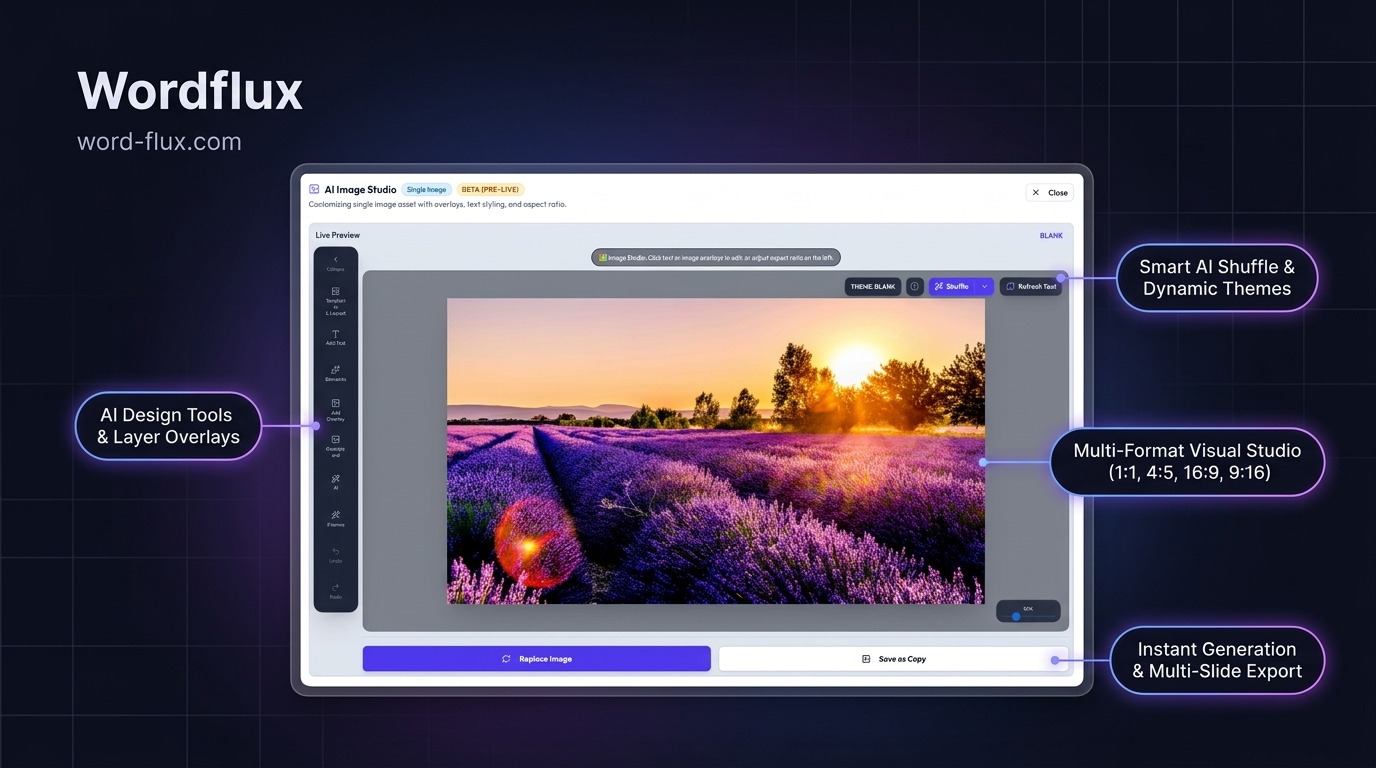
Vector LinkedIn PDF Decks & 4:5 Slides
Turns Webflow case studies and technical guides into swipeable multi-slide LinkedIn PDF documents and 4:5 Instagram carousels stamped with your Webflow brand palette.
Chrome & Edge Companion for Unfed Pages
Launching a static Webflow landing page outside a CMS collection? Open the Wordflux browser plugin on the live URL to generate a full launch campaign in 1 click.
Multi-Client Webflow Agency Workspaces
Webflow agencies can isolate each client's Brand Voice, visual templates, and social OAuth tokens while sending passwordless 1-click review links before posts go live.
First-Comment Canonical URL Protection
Posts native value hooks in the main feed and drops your canonical Webflow URL into the first comment on LinkedIn, Instagram, Facebook, Threads, and X.
2-Minute Setup

Connect Webflow to 11 Social Channels in 4 Steps

  1. 1

    Add Your Webflow Collection Feed or Domain

    Paste your Webflow domain or collection RSS URL in Website Radar and optionally filter by `/blog/` or `/case-studies/`.

  2. 2

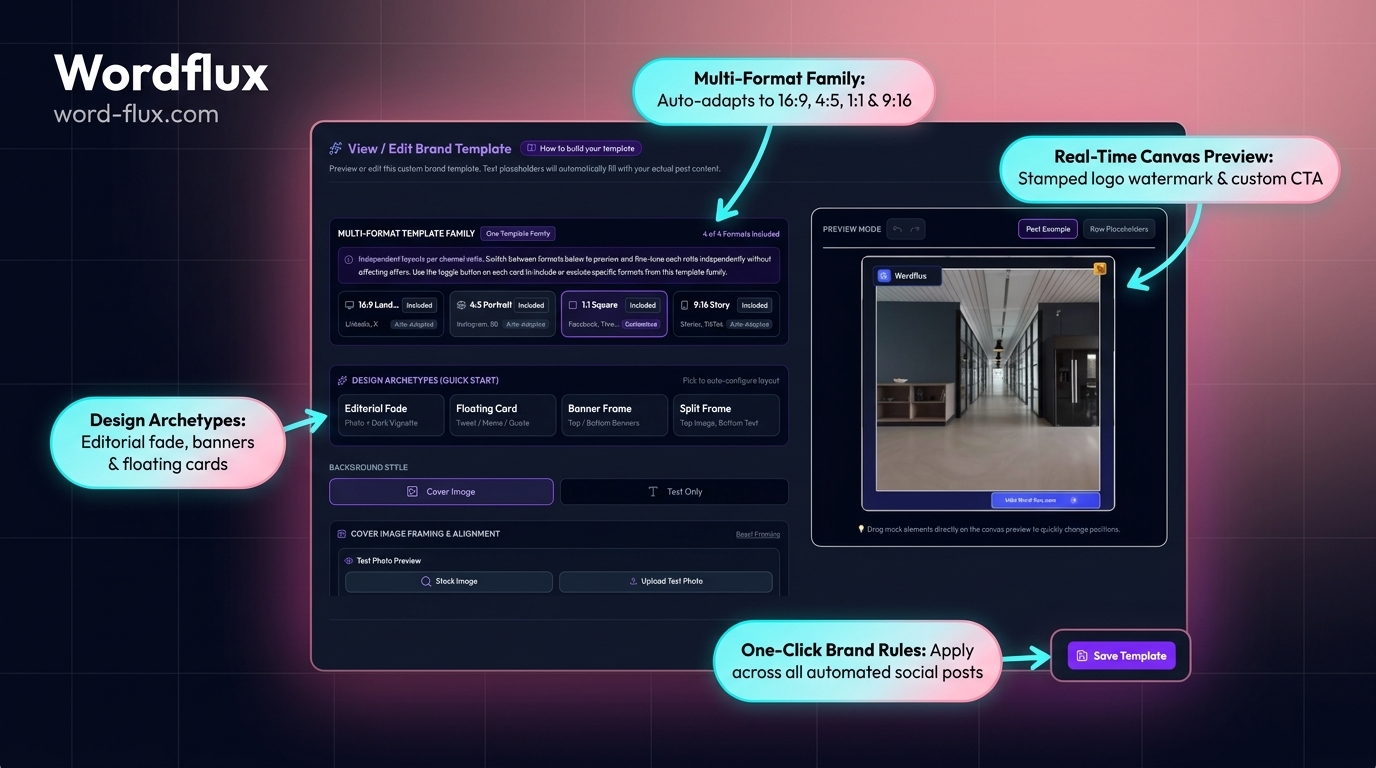
    Link Your Brand Voice & Visual Templates

    Match your Webflow typography and brand colors once so generated carousels and social cards look custom-designed.

  3. 3

    Publish in Webflow Editor as Usual

    As soon as a CMS item goes live, Wordflux extracts key insights and builds tailored posts for all selected channels.

  4. 4

    Approve in 1 Click or Run 100% Autopilot

    Review scheduled campaigns on the visual calendar, share a client approval link, or dispatch hands-free.

Webflow SEO & AI Search (GEO) Advantage

Accelerate Webflow Indexing & Cross-Web Entity Citations

Publishing clean semantic HTML in Webflow is half the organic growth equation. Syndicating every new CMS slug across high-crawl social and open-web channels compounds both Google rankings and LLM citations.

  • Faster Crawl Discovery: Distributing canonical Webflow URLs across LinkedIn, X, Bluesky, Mastodon, and Pinterest creates immediate crawl pathways for search and AI bots.
  • Zero Core Web Vitals Penalty: External server-side ingestion means zero extra JavaScript bundles inside Webflow project settings.
  • Consistent Topic Authority: Reinforces identical product terminology and case-study proof points across your Webflow domain and 11 public social profiles.
Multi-Collection & Enterprise Webflow Setups

Running Localization, Gated Collections, or Webflow Enterprise?

Standard Webflow blogs, sitemaps, and CMS collections work immediately on your 14-day free trial. Need multi-locale routing or custom Webflow API field mapping? Our engineering team configures custom setups fast.

Webflow Publishing, SEO & GEO FAQ

Webflow Social Media Automation Questions

Technical answers on feed setup, page speed, approvals, and multi-channel search visibility.

Can you publish and update articles directly in Webflow CMS?
Yes. Connect your Webflow Collection ID and Webflow Data API v2 token in Connections -> Connect CMS. Wordflux auto-detects your collection's rich-text, summary, and image fields so you (or your AI assistant via MCP) can publish new CMS items as drafts or live posts and update existing items in place.
How do you automatically share new Webflow CMS items to LinkedIn, Instagram, and X?
By connecting your Webflow collection RSS feed or XML sitemap (filtered by collection path such as `/blog/`) to Website Radar. Whenever you publish a new Webflow CMS item, key takeaways and featured images are converted into native LinkedIn posts, PDF carousels, Instagram slides, X threads, Pinterest Pins, and Bluesky updates.
Does automating social media from Webflow require adding custom JavaScript to Webflow project settings?
No. Ingestion runs externally against your published Webflow RSS feed, XML sitemap, or clean server-side HTML selectors, leaving your Webflow site's Lighthouse performance and Core Web Vitals completely untouched.
Can you automate Webflow landing pages that are not inside a Webflow CMS collection?
Yes. Static Webflow marketing pages, pricing launches, and feature pages can be captured via XML Sitemap path rules, direct URL input, or 1-click extraction with the Chrome and Edge browser plugin.
How can Webflow agencies manage social media approvals for multiple client sites?
Each Webflow client site maps to its own isolated Brand Workspace with dedicated Brand Voice rules, visual templates, and social OAuth connections, paired with zero-login 1-click client review links.
How does distributing Webflow CMS content across 11 channels help SEO and AI search visibility (GEO)?
Syndicating canonical Webflow URLs across crawlable platforms such as LinkedIn, Pinterest, YouTube, Google Business Profile, Bluesky, and Mastodon builds consistent brand entity signals and referral engagement that Google Search and AI answer engines verify when citing primary sources.
Webflow & SaaS Growth Guides

Webflow CMS Distribution & Automation Playbooks

Practical guides on turning Webflow collections, changelogs, and landing pages into compounding organic social reach.

Risk-Free 14-Day Free Trial

Put Your Entire Content Engine on Autopilot Today

Connect your website or channels in 2 minutes. Start publishing on LinkedIn, Instagram, X, Facebook, Pinterest, Bluesky, Mastodon, and Google Business with zero manual copy-pasting.

Looking for the browser companion?Download Chrome & Edge Plugin
14-day free trial, €0 charged todayCancel anytime with 1 clickFree Done-For-You Onboarding includedCustom Workflows Built on Request