In-Page Grammar Fix & AI Writing Assistant Across the Web
Whether you are writing LinkedIn DMs, cold outreach, client emails in Gmail, social posts on X, or articles in WordPress and Webflow, fix grammar, sharpen your message, and rewrite text in your Brand Context Profile directly inside any web text box without switching tabs.
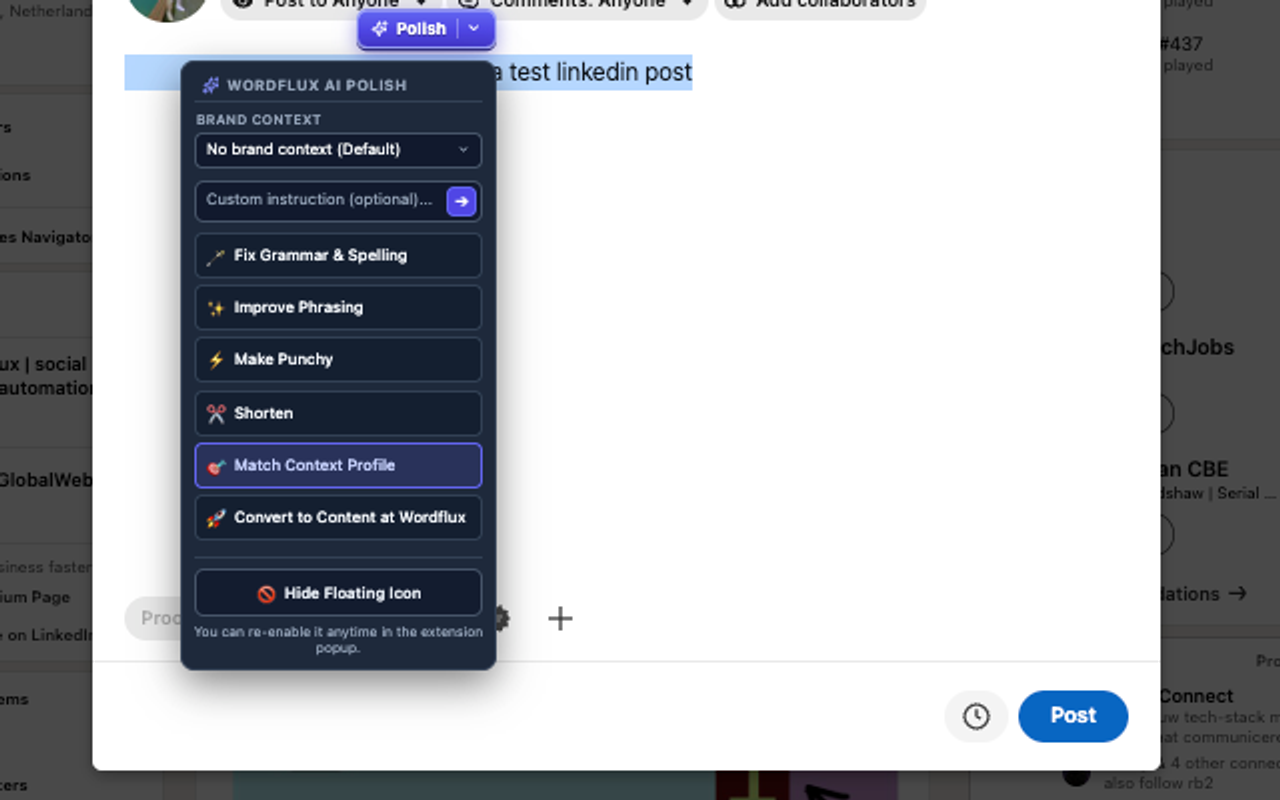
Works Everywhere You Type on the Web
DMs & Cold Outreach
Polish LinkedIn DMs, X messages, and Slack replies so your pitch sounds crisp, natural, and typo-free before you hit Send.
Emails & Client Replies
Turn rough bullet points in Gmail, Outlook Web, or support desks into clear, polite, on-brand client replies in 1 click.
Posts, Comments & CMS Drafts
Tighten hooks, shorten wordy paragraphs, and enforce your Brand Context Profile directly inside social composers and CMS editors.
3 Instant Ways to Trigger In-Page Polish
Keep your writing workflow inside the page you are already on. Highlight any text to clean up typos, rewrite for clarity, or apply your Brand Context Profile in seconds.
Highlight & Click Polish
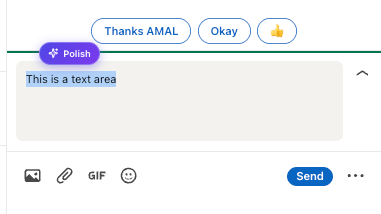
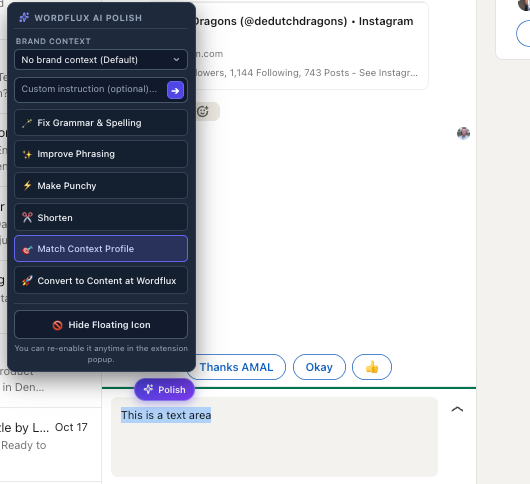
Select text in any input field, textarea, or rich-text composer and click the subtle floating Polish button.
Right-Click Context Menu
Highlight text anywhere on a page, right-click, and select Wordflux AI Assistant to rewrite or fix grammar.
Keyboard Shortcut & 1-Click Undo
Press Cmd+Shift+E (Mac) or Alt+Shift+E (Windows). Revert any change with 1-click Undo, or mute floating helpers on any site in Settings.
Fix Grammar & Spelling
Corrects typos, punctuation, and grammatical mistakes instantly inside any text box while keeping your original meaning intact.
Improve Writing & Flow
Smooths out awkward phrasing, sharpens sentence structure, and elevates readability for professional emails, comments, and articles.
Make Copy Punchy
Removes filler words and turns flat sentences into high-converting social hooks for LinkedIn, X, and Threads.
Shorten & Condense
Trims wordy paragraphs down to crisp, platform-ready character counts without losing key takeaways.
Match Context Profile
Rewrites your draft using your active Brand Context Profile, enforcing your terminology, tone rules, and forbidden words list.
Custom Prompt & Convert to Campaign
Run any custom instruction on highlighted text or send your polished draft directly into the Wordflux Content Wizard to build a full campaign.
Also Included: 1-Click Site-to-Socials & YouTube Repurposing
The same free Wordflux Chrome & Edge extension also turns any webpage, highlighted quote, or YouTube video into multi-platform social campaigns and CMS articles, with automatic Content Automation Source matching.
AI Writing Assistant & Grammar Fixer FAQ
Is the In-Page AI Writing Assistant a separate download from the Site-to-Socials browser plugin?
No. Both tools live inside the exact same free Wordflux Chrome & Edge Browser Extension. Once you install the extension from the Chrome Web Store, you get both 1-click Site-to-Socials content capture and the in-page AI Writing Assistant & Grammar Fixer in one lightweight Manifest V3 plugin.
Which websites and editors does the in-page AI Writing Assistant work on?
It works inside virtually any standard text input, textarea, or contenteditable rich-text editor across the web, including LinkedIn posts and DMs, X (Twitter) posts and DMs, Gmail, Outlook Web, WordPress, Webflow, Ghost, HubSpot, Notion, and Slack Web.
How is Wordflux different from a generic grammar checker?
Beyond fixing typos and punctuation, Wordflux connects directly to your Brand Context Profiles. With one click on Match Context Profile, it rewrites your draft using your company terminology, tone of voice, audience persona, and forbidden words list so every comment, email, and social post sounds like your brand.
Can I undo an AI rewrite or disable the floating Polish button on certain sites?
Yes. Every text replacement includes a 1-click Undo button so you can restore your exact original text immediately. You can also mute the floating highlight button on specific domains anytime from the extension Settings tab while keeping the keyboard shortcut and right-click menu active.
What is the keyboard shortcut to trigger the AI Writing Assistant?
Highlight any text in a web editor and press Cmd+Shift+E on macOS or Alt+Shift+E on Windows and Linux to open the AI Polish menu without touching your mouse.
Does the extension read what I type in the background or track my browsing?
Never. Wordflux strictly follows Chrome Web Store Limited Use policies and GDPR standards. Your selected text is only processed when you explicitly trigger an action via the floating Polish button, right-click menu, or keyboard shortcut.
Which browsers and plans include the In-Page AI Writing Assistant?
The extension works on Google Chrome, Microsoft Edge, Brave, Arc, Opera, and Vivaldi. Installing it is 100% free, and the AI Writing Assistant is included in your 14-day free trial as well as Solo Basic (€10/mo), Solo Autopilot (€29/mo), Growth, and Agency plans.
Write Faster and Cleaner Everywhere on the Web
Install the free Wordflux extension on Chrome, Edge, Brave, or Arc to fix grammar in-page, match your Brand Context Profile, and repurpose any webpage in 1 click.